Wind
Fly Twirl in calm to light wind. If the wind picks up, it is designed to come home.

Safety
Twirl is small and built to be careful. It is designed to keep its distance from everyone, guard its own props and find its way home. You stay in the picture. It looks after the space around you.
The one rule
At least 3 m from anyone. Never overhead.
Twirl is built to keep at least 3 m from anyone, in any direction, and never overhead. Not only from you. From your friends, the couple walking past, the stranger who stops to watch. Twirl never closes the gap itself. The buffer is the same on each distance and height setting in the app.
How it keeps the gap
The camera finds people. A ring of close-range distance sensors covers every side, with one sensor looking up and one looking down. Here is what Twirl does with what it finds.
The camera picks out each person it sees. Twirl is built to hold at least 3 m from anyone it finds.
As it nears the edge of someone's space, it is designed to ease off. No rushing up to the line.
Walk toward Twirl and it is designed to back off to keep the gap. Twirl never closes the gap itself.
Twirl is designed to stay off to the side, never overhead.
Twirl checks the path ahead before each move. Space it has not seen counts as blocked.
Speed, height and distance from your phone all have firm limits. Twirl is built to stay inside them.

Guarded by design
Twirl has four props, each 40 mm across. Every one sits inside a duct, behind a fine mesh grille. The grilles are designed to keep fingers and hair away from the blades.
Grab Twirl out of the air and its four motors are designed to stop. Bump it into something and they are designed to stop too.
The body is one soft octagon, all in one piece. No arms to swing out.

The launch
Shake Twirl awake. The app checks where you are for restricted areas. Then you toss.
Twirl levels itself and climbs straight up before it goes anywhere else. That first climb keeps the props away from faces.
Then it flies out away from you, turns and finds you. By the time it starts framing, the buffer is already there.
The landing
When the run ends, Twirl comes home and asks your phone to light up. Hold your phone flat in your open hand. Twirl is designed to land on your phone. If no phone is held out, it lands on the ground nearby. The props stop. Your photos start arriving on your phone.
That last moment of landing on your phone is the only time Twirl is meant to come closer than its buffer.
When things change
Wind picks up. The battery runs down. Your phone drops the link. Here is what Twirl is designed to do.
Fly Twirl in calm to light wind. If the wind picks up, it is designed to come home.
Twirl ends the run and comes home to land on your phone.
No trip home. Twirl lands where it is.
Twirl flies back to where your phone last was and lands at least 3 m from you.
No room for its buffer? Twirl comes back to you rather than fly closer to anyone.
One tap, no confirm. Twirl stops the run and comes home.
One tap, no confirm. Also called Emergency land. Twirl comes down where it is.
The flight controller can fly, come home and land by itself, without the camera chip or your phone.
Return and Land now go out over Wi-Fi and Bluetooth at once. They outrank everything else Twirl is doing.
Where it flies
Before each flight, the app checks for restricted areas such as airports and national parks. Location is used for the zone check and to bring Twirl back to your phone.
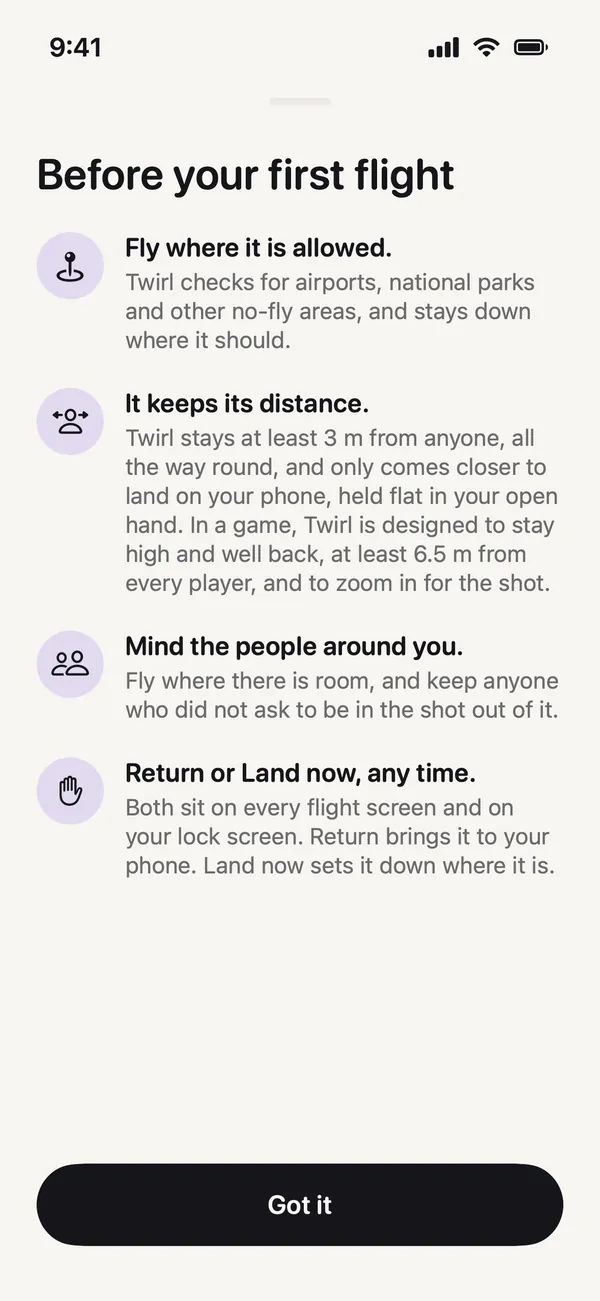
The app walks you through where Twirl flies, the buffer it keeps, Return and Land now.
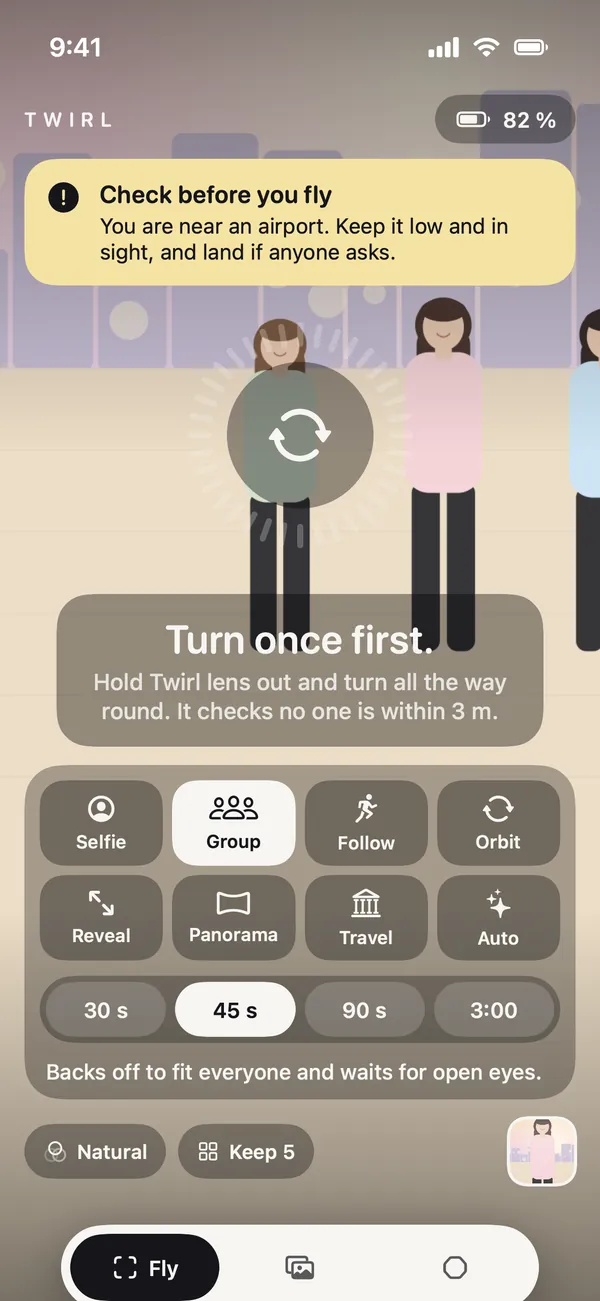
The app warns you in plain words: "Keep it low and in sight."
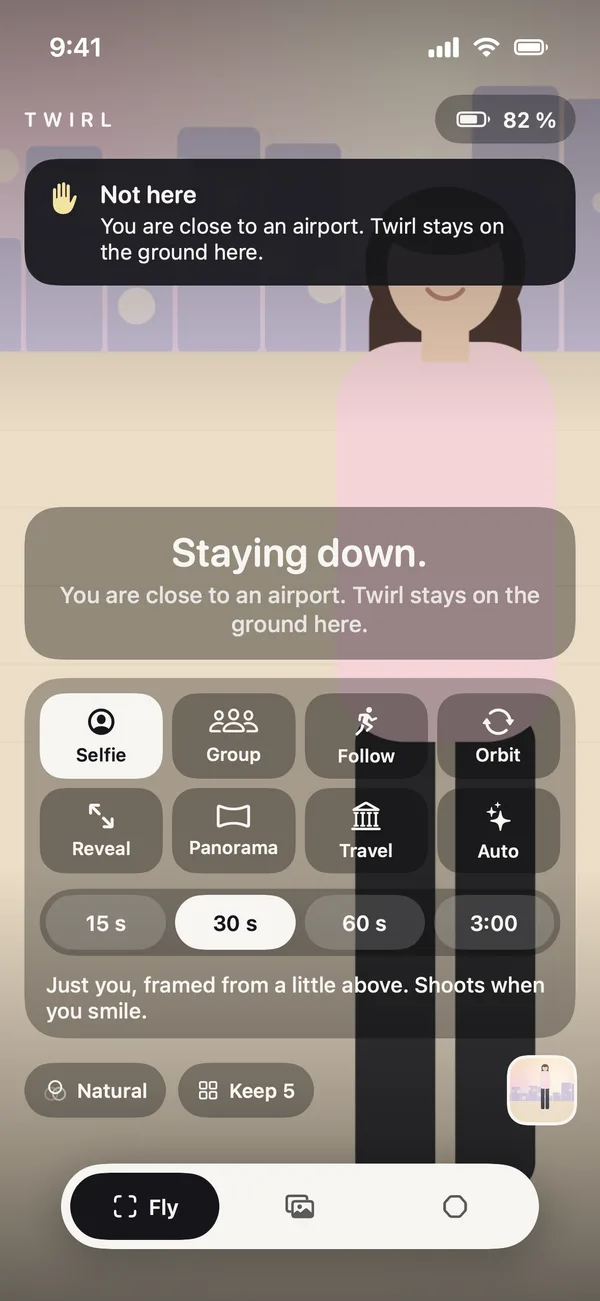
Twirl stays on the ground. The app tells you why.
Kids and pets
Twirl is built to keep at least 3 m from people, children included. Its camera looks for people, not pets, so keep pets clear while it flies and lands.
Local rules
Twirl comes to Canada first. Drone rules differ by country and by place. The app checks for restricted areas before each flight. The rules where you stand are still yours to know.
Firm lines
Where it stands
Coming Soon
Join the list and hear first when Twirl is ready to fly.